
Download FotoJet – Free Online Photo Editor & Collage Maker
Overview
FotoJet is a free, web‑based photo editor and collage maker that brings professional‑grade tools to anyone with an internet connection. Designed for both casual users and small‑business creators, FotoJet lets you crop, resize, adjust brightness and contrast, apply filters, add text, and embed graphics without the need to install a heavyweight program. Whether you’re looking to polish a vacation snapshot, design a digital invitation, or craft a striking YouTube banner, FotoJet offers a streamlined workflow that feels as powerful as desktop software while remaining completely browser‑based. Its intuitive interface, drag‑and‑drop canvas, and more than 600 ready‑made templates make it possible to produce polished visuals in minutes. Because it runs entirely online, you can start a project on a Windows PC, continue on a Mac, or finish on a mobile tablet—all you need is a modern browser and an internet connection.
Core Features & Tools
FotoJet packs a surprising amount of functionality into a clean, accessible UI. Below is a curated list of the most frequently used tools that set it apart from other free editors.
- Advanced Cropping & Resizing: Precise control over aspect ratios, custom dimensions, and automatic fit for social media formats.
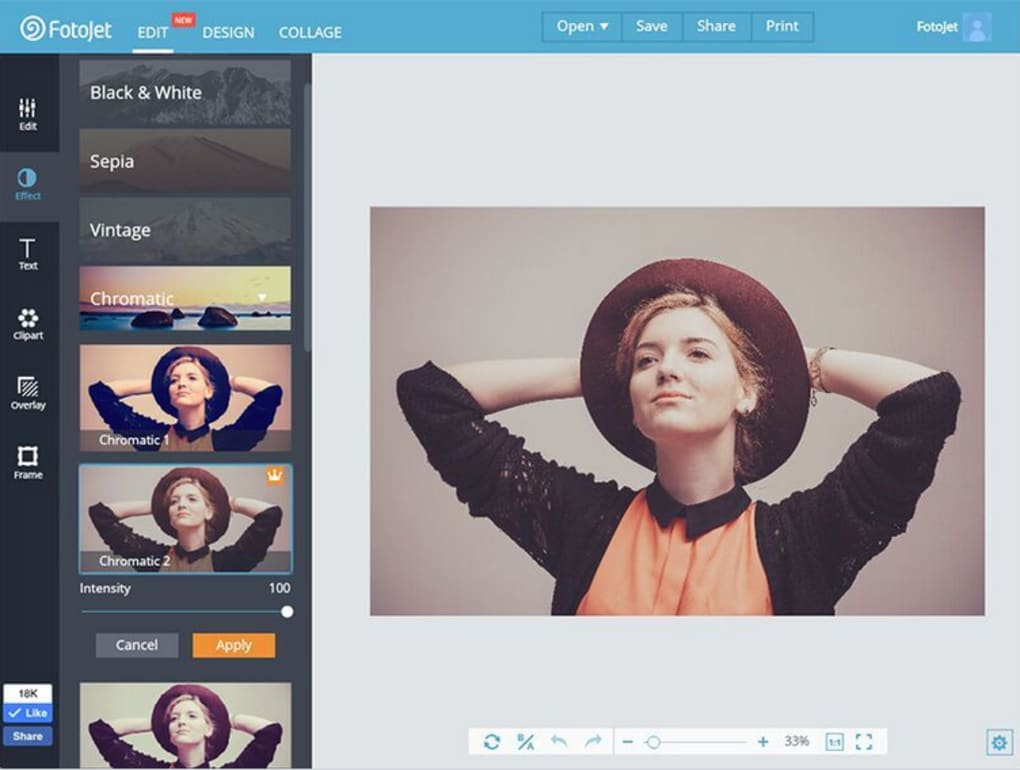
- Brightness, Contrast & Saturation Adjustments: Slider‑based controls let you fine‑tune exposure without compromising image quality.
- Filter Library: Over 30 artistic filters ranging from vintage film to modern HDR effects.
- Text & Font Integration: Hundreds of fonts, text effects, and customizable color palettes for headlines, watermarks, or captions.
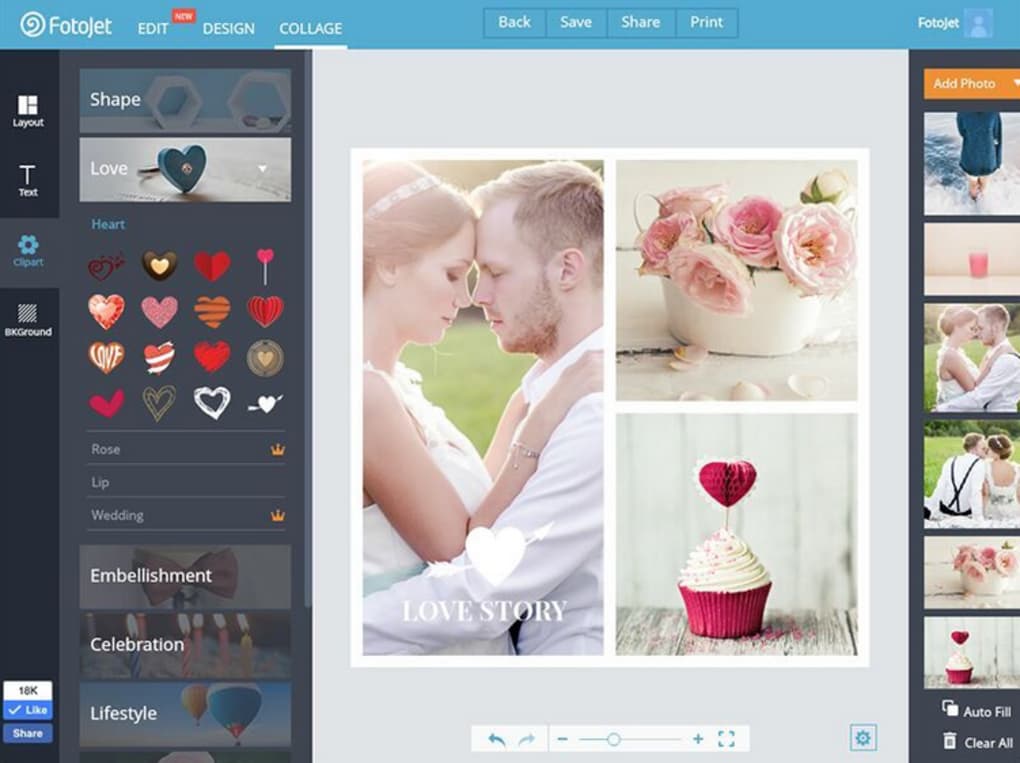
- Clip Art & Graphic Overlays: A library of icons, stickers, and decorative elements that can be dragged onto any canvas.
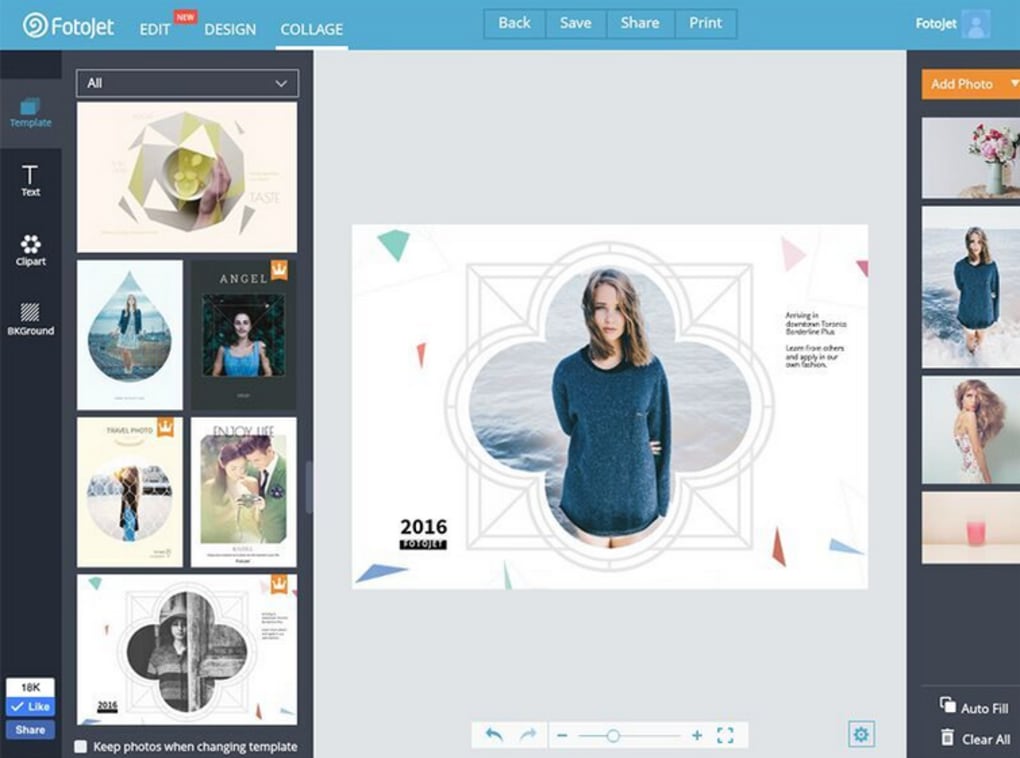
- Template Collection: More than 600 pre‑designed templates for collages, greeting cards, flyers, magazine covers, and social media posts.
- Layer Management: Simple layer ordering and opacity controls, mirroring features found in professional design suites.
- Export Options: Save projects as high‑resolution JPEG, PNG, or PDF files, with options for web‑optimized compression.
- Collage Maker: Grid, freestyle, and mosaic layouts that automatically adjust photos to fit chosen patterns.
- Cloud‑Based Workspace: Projects are saved in the browser, allowing you to return later without losing progress.
Beyond the core toolkit, FotoJet also supports batch processing for quick adjustments across multiple images, making it a handy solution for photographers who need to edit a series of shots before uploading to a portfolio or client gallery. The integration of design elements such as borders, frames, and background patterns further expands the creative possibilities, turning a simple edit into a fully fledged visual communication piece.
Installation, Usage & Compatibility
One of FotoJet’s biggest selling points is that there is no download required. The platform runs entirely in the browser, which means you can start editing within seconds after visiting the website. Here’s a step‑by‑step guide to get you up and running:
Step‑by‑Step Setup
- Open a modern browser (Chrome, Firefox, Edge, Safari) and navigate to fotojet.com.
- Click the “Create a Design” button. You’ll be prompted to choose a project type—select “Edit Photo,” “Collage,” or “Design Template” based on your goal.
- Upload images from your local drive, cloud storage, or directly drag and drop them onto the canvas.
- Use the left‑hand toolbar to apply adjustments, add text, or insert graphics. All changes are previewed in real time.
- When satisfied, click “Save” to download the final file or choose “Export to Cloud” for future editing.
The absence of an installer eliminates the typical security concerns associated with downloading executable files. Because the application runs on secure HTTPS, your images are transmitted over encrypted channels, and no personal data is stored on the server unless you explicitly save a project to the cloud.
Operating System Support
FotoJet is compatible with all major operating systems that support a modern web browser, including:
- Windows 10, 11 (Chrome, Edge, Firefox)
- macOS Monterey, Ventura, and later (Safari, Chrome, Firefox)
- Linux distributions with up‑to‑date browsers
- iOS 13+ (Safari, Chrome) and Android 8+ (Chrome, Firefox) via mobile browsers
Because the UI is fully responsive, the tool adapts gracefully to different screen sizes. On tablets and smartphones, you’ll find the same feature set, though the layout shifts to a vertical orientation for easier touch interaction.
For power users, FotoJet also offers a premium subscription that unlocks additional templates, higher‑resolution exports, and ad‑free usage. The free tier, however, remains generous enough for most personal and small‑business projects.
Pros & Cons
What Users Love
- Zero Installation: Completely web‑based, eliminating download risks.
- Rich Template Library: Over 600 designs reduce the time needed to create professional graphics.
- Intuitive Interface: Drag‑and‑drop workflow suits beginners and experienced editors alike.
- Cross‑Platform Compatibility: Works on Windows, macOS, Linux, iOS, and Android browsers.
- Free Core Features: No hidden fees for basic editing, cropping, and collage tools.
- Secure HTTPS Connection: Protects image uploads and personal data.
Areas for Improvement
- Limited Advanced Editing: No RAW support or sophisticated layer masks found in premium desktop apps.
- Performance on Large Files: Very high‑resolution images can cause slower rendering in some browsers.
- Export Watermark on Free Tier: Some exported files include a small FotoJet branding unless you upgrade.
- Internet Dependency: Requires an active connection; offline work isn’t possible.
- Template Customization: While templates are abundant, deep customization of layout grids can be restrictive.
Frequently Asked Questions
Is FotoJet really free to use?
Yes, the core editing tools, collage maker, and most templates are available at no cost. A premium subscription unlocks additional assets and removes the export watermark.
Do I need to create an account to edit photos?
You can start a project without an account, but saving to the cloud or accessing premium features requires a free registration.
Can I edit RAW files with FotoJet?
Currently FotoJet supports standard image formats like JPEG, PNG, and GIF. RAW files need to be converted to a supported format before uploading.
How secure is my uploaded content?
All uploads travel over an encrypted HTTPS connection. FotoJet does not store your images permanently unless you choose to save them to the cloud.
Is there a mobile app for FotoJet?
FotoJet is optimized for mobile browsers, so you can edit directly from iOS or Android devices without a dedicated app.
Conclusion & Call to Action
FotoJet strikes a compelling balance between ease of use and creative depth, offering a free, secure, and browser‑based solution for photo editing, collage creation, and graphic design. While it may not replace high‑end desktop suites for professional photographers, its extensive template library, intuitive controls, and cross‑platform accessibility make it an ideal tool for small businesses, educators, and social media enthusiasts. If you need a quick way to polish images, design eye‑catching banners, or assemble a memorable collage without installing software, FotoJet is ready to deliver.
Ready to start creating? Visit FotoJet now and unleash your visual ideas—no download, no cost, and no learning curve.



.png)



